What does it really cost you —
guessing lump-sum tax rates?
Every amount with its statute citation. You review and approve each declaration before filing.
A REAL SCREEN, NOT A MOCKUP
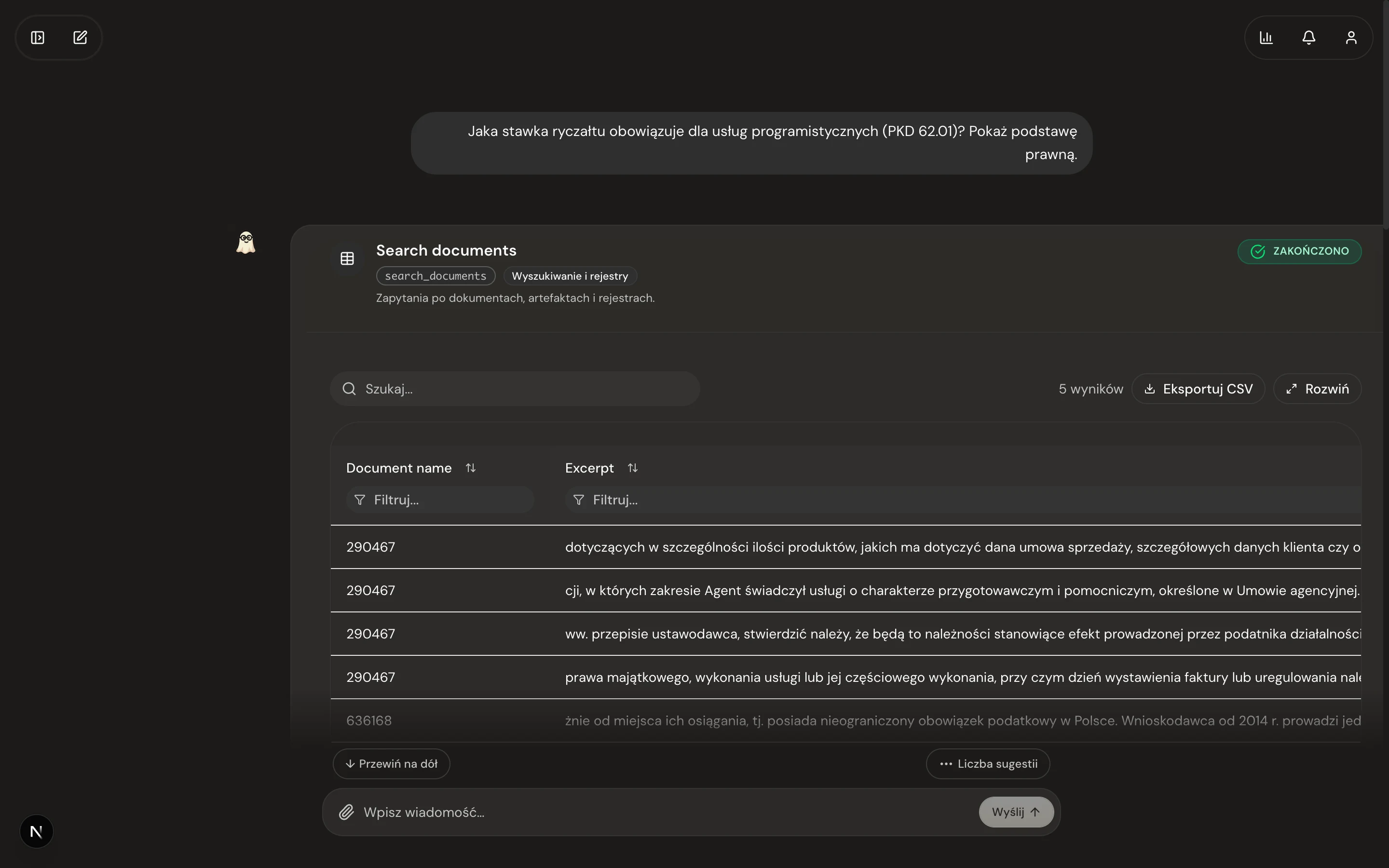
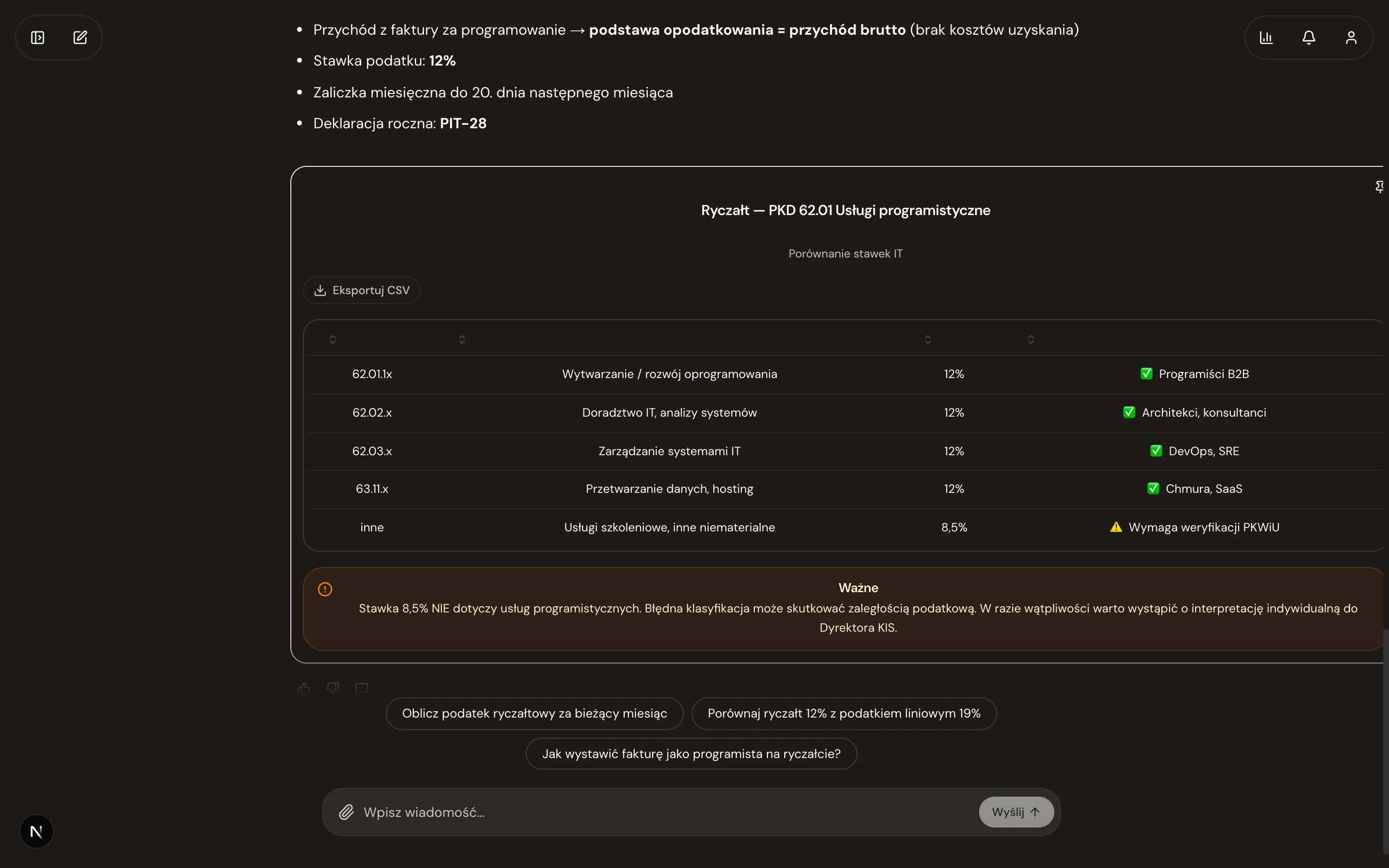
This is what talking to Bookeper looks like
You ask about your rate — the agent searches official rulings, shows its sources, and answers with a rate table. It works this way for every industry; the example below is software services. These are real screenshots from the running system.
Bookeper can make mistakes. Check its answers.
From invoice to declaration
01
Upload invoices
OCR reads the invoice data.
02
Ask AI
"Calculate ZUS for January" → done.
03
Approve the declaration
You review and approve the JPK, PIT or DRA draft before filing.
How approval works
Four steps: Bookeper calculates, cites the legal basis, you approve, and the declaration is ready for you to file. After you approve, you file it yourself in e-Deklaracje or ZUS PUE. If validation finds an error, you see the error and the reason.
The agent calculates
Deterministic calculators, not guesswork.
Statute citation
Every amount comes with a legal basis you can check.
You approve
The approval is yours — Bookeper never approves for you.
Ready for your approval
Reviewed draft ready to download; you file it yourself in e-Deklaracje or ZUS PUE.
And if validation finds an error?
You see the validation error and its reason — you fix it and approve again.
KSeF without retyping
Bookeper sends and receives e-invoices via KSeF, and your revenue lands straight in your records.
See also: KSeF automaticallyStart with one question
Open beta: PLN 0, no card, instant access. Create an account, connect your invoices, and ask the agent your first tax question.